Can't find your answer? Ask on the CHILDES/TalkBank Google Group or write to macw@cmu.edu.
Batchalign is a free program that uses automatic speech recognition (ASR) to turn audio or video recordings into CHAT transcripts linked to the media. It can also align existing transcripts with their media and add morphological and grammatical tiers. You then check and correct the output in the CLAN editor.
Follow the instructions on the Batchalign page. There are two versions:
The first time you run Batchalign, it takes about 5 minutes to download the files it needs.
Each job has its own command. The three main ones are:
.cha
files in the input folder.%mor and
%gra tiers using Stanza and Universal Dependencies.
No media file is needed.batchalign version shows which version you have. To see
all the options for a command, add --help, for example
batchalign transcribe --help.
.wav, .mp3 and .mp4 are best.
The folder can hold any number of files, and folders inside it are
processed too.batchalign transcribe --lang=eng [folder], using the
3-letter ISO code for your language in place of eng..cha files appear in your output folder.Only transcribe needs --lang. The other
commands read the language from the @Languages line of each
transcript.
On a computer with many processor cores and enough memory, Batchalign processes several files at once.
--engine=openai, for example
batchalign transcribe --lang=eng --engine=openai [folder].For Chinese, Batchalign also supports FunASR (child Cantonese, fast), Qwen3 (child Cantonese, slow), Paraformer-zh (child Mandarin) and Tencent (adult Chinese). Tencent needs its own license and API key; the others are free.
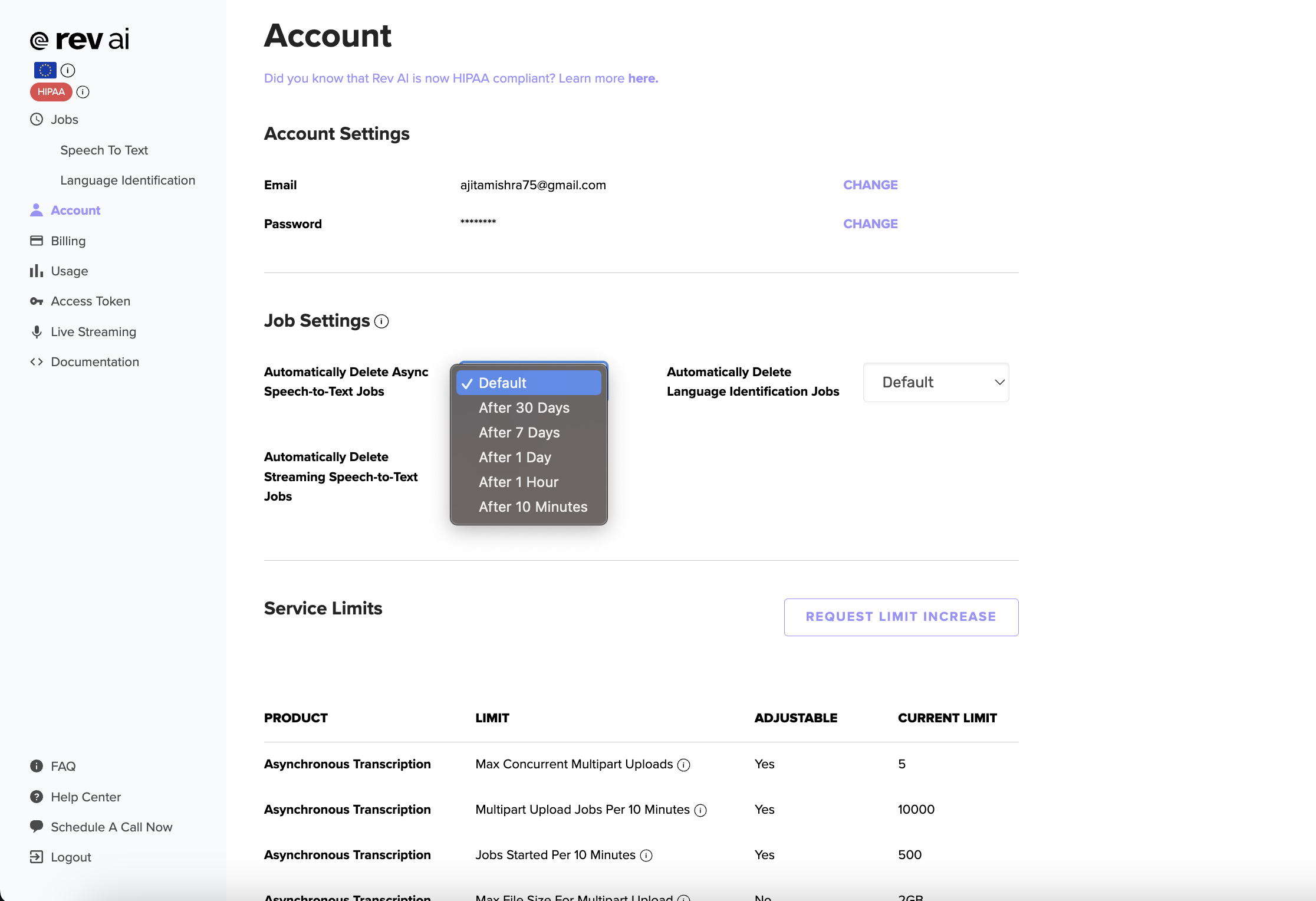
If your recordings are sensitive, set up auto-delete before you send any (see the next question).
Yes. Rev-AI and Google Cloud can both process your recordings without storing them, so you can stay within IRB rules against sharing data with third parties.
You can also email macw@cmu.edu or
houjun@cmu.edu. Please run
batchalign version and tell us which version you have.
TalkBank is an open archive of recorded spoken language, with transcripts linked to audio and video. It is based at Carnegie Mellon University and covers 14 research areas, each with its own repository (a "bank"). All transcripts use one shared format, CHAT, so the same tools work across the whole archive.
No. The data, the CLAN program, the Chatter validator and Batchalign are all free for research and teaching.
The web pages and software are open to everyone. To view or download transcripts and media you need a free TalkBank account: click the green Login button on any TalkBank page, choose New User, enter your email and a password, and confirm through the email we send you.
See access levels for which data need which kind of access.
The clinical banks (AphasiaBank, DementiaBank, FluencyBank, RHDBank and TBIBank) contain recordings of people with clinical conditions, so access is limited to researchers and clinicians who agree to the Ground Rules. HomeBank and PsychosisBank are more tightly controlled and have their own membership pages.
Yes, through your faculty advisor. Your advisor should request membership and ask for your access, giving a start and end date. We can't answer requests sent by students alone.
Cite two things:
Bat-El, O. (2020). CHILDES Database Hebrew Bat-El Corpus. doi:10.21415/T5P322
MacWhinney, B. (2000). The CHILDES Project: Tools for analyzing talk (3rd ed.). Mahwah, NJ: Erlbaum.
If you use more than six corpora from one bank, you may cite the bank as a whole instead. The general references for every bank are on the citation page.
TalkBank data are shared under the Creative Commons CC BY-NC-SA 4.0 license: you may use and adapt them with attribution, for non-commercial purposes, and share your adaptations under the same terms.
The full list is in the Ground Rules.
CHAT is the transcription format used for every TalkBank transcript. CLAN is the free program for editing CHAT files, playing the linked media, and running analyses such as word counts, MLU and morphological tagging.
From the CLAN download page:
After upgrading CLAN, use File → Get MOR Grammar to download a fresh grammar for the MOR command.
In macOS System Settings → Keyboard, turn on Use F1, F2, etc. keys as standard function keys.
Run it through the free Chatter validator, or the
CHECK command in CLAN. Both list each problem with an
explanation. A file must pass before it can be added to TalkBank.
Check the manuals and tutorials first, then ask on the Google Group or email macw@cmu.edu. Please include:
020456.cha and 020456.mp4).Each corpus gets its own web page and a DOI. Details are on the contributing page. HomeBank and PsychosisBank have their own contribution procedures.
.cha)020456.cha and 020456.mp4)If you only need to send the form and documentation, without media, you can attach them to an email to macw@cmu.edu instead.
They must say explicitly that the recordings and transcripts will be shared through TalkBank. If you are planning a new study, write this in from the start.